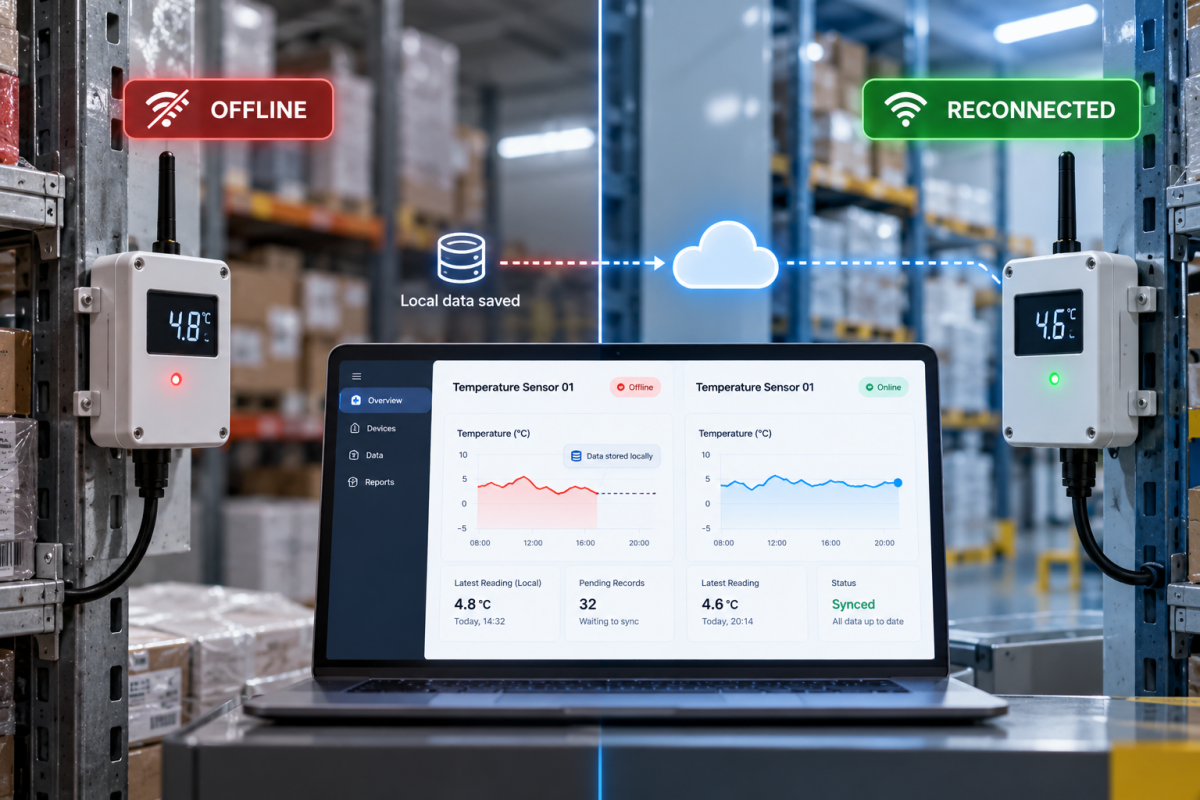
When an IoT device loses its internet connection, it may continue operating, stop sending data, miss remote commands, or lose important readings. The outcome depends on its local storage, processing capabilities, and software architecture.
What Happens When an IoT Device Goes Offline?
Connectivity loss can affect an IoT system in several ways:
- Data stops reaching the cloud: Dashboards may display outdated readings without indicating that the device is offline.
- Data may be lost: Devices without local storage may discard readings generated during an outage.
- Remote commands may fail: Cloud-dependent actions may remain pending or never reach the device.
- Alerts may be delayed: Cloud monitoring cannot reliably detect new conditions when the device stops reporting.
For critical applications, essential monitoring and control functions may need to continue locally.
How Can IoT Devices Handle Internet Outages?
1. Local Data Storage
Local buffering temporarily stores readings until connectivity returns. A reliable implementation should preserve timestamps, manage storage limits, and track which records have reached the server.
2. Automatic Reconnection
Devices should detect connection failures, retry automatically, and use increasing retry intervals to avoid overwhelming the server. Authentication errors should be handled separately from network failures.
3. Edge Computing
Edge computing allows devices or nearby gateways to process data locally. For example, a cold-storage monitoring system can trigger a local temperature alarm without waiting for a cloud response.
4. Backup Connectivity
Wi-Fi, Ethernet, or cellular fallback can improve availability when the primary network fails. However, additional hardware, coverage limitations, and connectivity costs must be considered.
What Happens When Connectivity Returns?
Reconnection does not automatically guarantee correct data synchronization. Devices may resend events, upload historical readings, or encounter conflicting updates.
A reliable system should:
- Use unique event identifiers to prevent duplicate processing.
- Preserve original timestamps.
- Define rules for resolving conflicting updates.
- Track synchronization progress and failed uploads.
These measures help maintain consistent records after an outage.
How to Design a Reliable Offline-First IoT System
Before deployment, define which functions must continue without internet access and which can safely pause.
- Determine how much data must be stored during an outage.
- Define local processing and cloud responsibilities.
- Establish reconnection and synchronization rules.
- Display device status and the last successful communication time.
- Test network failures, power interruptions, full storage, and server outages.
Offline behaviour should be designed and tested before launch, not added after reliability problems appear.
How Icon Tech Studio Can Help
Icon Tech Studio develops custom software and IoT solutions designed around real operational requirements.
Building an IoT product that must work reliably offline? Contact Icon Tech Studio to discuss your device architecture, data handling, and connectivity requirements.